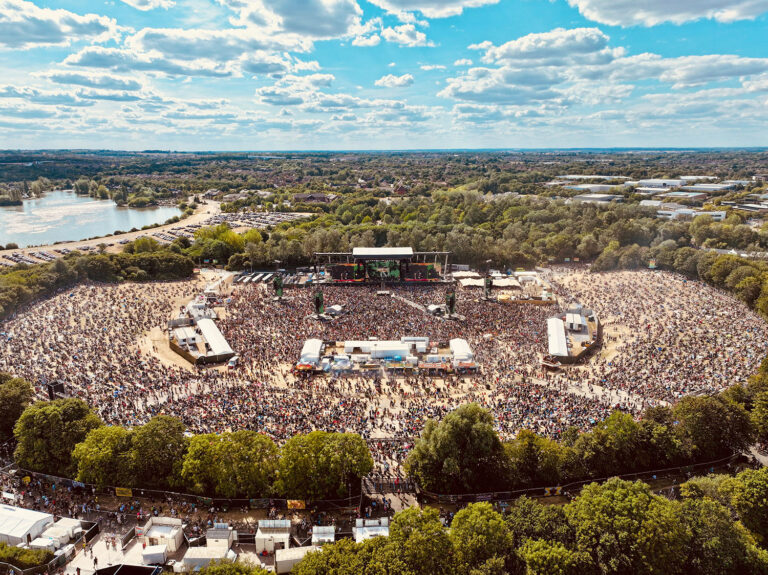
A festival can sound powerful in front of the stage and strangely incomplete through a phone. A town hall can be clear to the front row while an online colleague misses the question that prompted the answer. The two audiences are hearing different combinations of sound.
That is why a livestream needs deliberate audio planning, monitoring and control. The right solution depends on the programme, the room, the available feeds and the people operating them. Different productions can achieve that control in different ways. Our own approach is to bring a sound desk so that we retain control of the online mix.
The room hears more than the sound system
People at the venue hear instruments, loudspeakers, reflections and the audience around them. Online listeners hear what reaches the stream. Those are different starting points for a mix.
Doug Gould’s livestream sound guide, hosted by Yamaha, explains how loud drums and amplifiers can need relatively little reinforcement in a room. Copying that desk balance online can leave the programme dominated by vocals, because the listener does not hear those instruments directly.
This is a useful acoustic explanation, not an audience retention study. For organisers, the question is simple: has someone listened to the programme that viewers actually receive, away from the stage sound? Looking at meters in a loud venue cannot answer that on its own.
Give every contribution a usable microphone
Think beyond the main presenter. A discussion may include a quiet panellist, an audience question, a recorded film and a remote speaker. Each needs an intelligible route into the programme.
Shure’s guidance on microphone placement explains the relationship between direct speech, room reflections and background noise. A distant microphone can capture too much of the room, and increasing its level also increases the unwanted sound.
Include audience microphones in the plan and explain how people should use them. During rehearsal, check a realistic speaking level from the actual position. Listen to video playback and remote contributions too. The person checking should be able to understand the programme without relying on what they can hear directly in the venue.
Capture atmosphere without losing the words
Audience reactions tell remote viewers something important about the event. Applause, laughter and crowd response can give a performance a sense of place. They also need control so that the next spoken introduction remains understandable.
Plan the balance between speech, music and atmosphere, including the gaps between contributions. Check audience microphones during rehearsal and listen again when the room fills. A lively crowd should add context without making the next speaker harder to understand.
We always add ambient microphones to our mix so viewers get a feel for the room or space. We have found that supplied venue feeds can fall silent during delegate changeovers or leave out audience reactions. Keeping control of those sources helps us preserve the sense of being there between spoken contributions.
Agree the handover with the venue sound team
A broadcast sound feed should be part of the production plan. List the sources, connection points, control responsibilities and communication routes. Confirm who can alter levels and which changes affect other outputs.
Build a shared input and output list before arriving on site. Record which sources the online mix needs and what each team can change independently. Check microphone positions and the effect of nearby loudspeakers with the venue team, rather than leaving each department to solve the same problem separately.
For Reggae Land and Zimfest, we produced the online livestream with dwmedia. At Reggae Land, 22live provided the main stage audio. PRG provided the video wall and cameras. Our online programme used a dedicated broadcast sound trailer and a DiGiCo Quantum 326 mix.
That arrangement gave the online programme its own audio working space. It also depended on collaboration: separate outputs still need agreed sources, handovers and clear responsibility.
Choose a proportionate level of control
The Yamaha guide describes auxiliary buses, subgroups and matrix mixes as possible ways to build a stream mix. Depending on the console and routing, independent control can be available within an existing system.
At oXyFire, we always bring our own sound desk, including when we take a feed from the venue. We usually bring an audio technician and sound engineer when the mix needs extra attention or the programme includes music. The desk gives us control; the staffing reflects the attention the programme needs.
Ask the production team to explain the limits of the proposed approach. What happens to the stream when the venue engineer changes a channel? Can speech, playback and audience levels be managed as needed? Who notices a problem while another operator is busy with the stage?
Check what remote speakers hear
A remote guest needs to hear the conversation they are joining without receiving a distracting delayed version of their own voice. The return feed deserves the same attention as the outgoing programme.
Roland’s mix minus explanation describes excluding selected sources from an audio mix. This is one routing technique used to keep a contributor’s own audio out of their return. It does not replace every other form of echo management.
Our article on remote sports commentary explores another situation where the contributor’s listening experience is part of the production workflow.
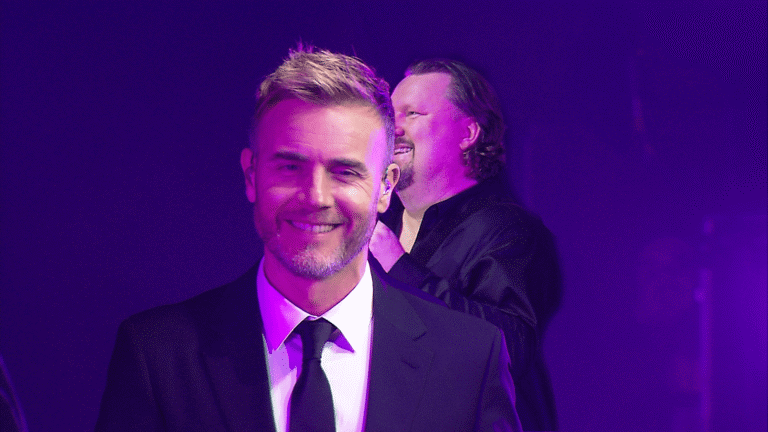
In our DP World EU Regional Townhall, two remote contributors joined the live programme through a workflow that included a dedicated return path. Rehearsal needs to test listening and conversation as well as the incoming camera picture.
Measure for the destination, then listen
There is no single loudness number that should be copied into every livestream brief. The EBU’s guidance on loudness in streaming discusses delivery conditions, playback environments and metadata. Its recommendations need to be read in that context, rather than treated as a universal platform rule.
Agree the destination requirements with the production team. Check the complete route through the encoder and player, including speech, music, quiet passages and transitions. Listen on representative devices at a sensible level and verify that sound and pictures stay in step.
For an event video production brief, name the sound lead, required feeds, monitoring position, remote return arrangements and recording outputs. These details connect the room production to the live streaming experience.
The objective is straightforward: people online should be able to follow the programme and feel its atmosphere. Achieving that starts with a clear plan for what they will hear.